Autonomous agents with memory and context — patent filed with the USPTO

Hal-AI Agentic · Orchestration

Squads: orchestrating agents that work on their own

A Squad never talks to a customer. It wakes up on schedule, reads its own context, queries your systems through their APIs, decides what is worth doing and hands the instruction — in plain language — to the agents that handle WhatsApp and webchat. Then it writes the report, publishes the document and sends it by email.

Waking up is not an order to act. Checking the situation and concluding that nothing needed to be done is a successful run.

Available through the public API as well: trigger a run, follow the logs and read the outcome the Squad declared.

What a Squad comes with

A master agent with no channel of its own, a schedule and a set of tools.

  • Its own schedule — it wakes up without being asked
  • Main context, attached knowledge and memory across runs
  • Your system's REST APIs, and MCP servers, available as tools
  • A direct line to the channel agents, in plain language
  • An analytical document in HTML and PDF, delivered by email
  • Auditable history, simulation mode and a stop button
Definition

A master agent that runs a business routine end to end

Channel agents talk to your customers. The Squad talks to the channel agents — and to your systems.

A Squad is the platform's orchestrating agent. It has no WhatsApp number, no webchat and never receives a customer message. Its job is different: to carry an entire business routine from start to finish, without anyone having to remember to pull the trigger.

You give it three things — the context of the process, the knowledge of the operation and the tools (the endpoints of your ERP, your medical records system, your order system, plus MCP servers). From there, there is no decision tree to draw: at every turn the Squad chooses what to do, including concluding that there is nothing to do.

  • No channel of its own. When someone has to be contacted, the channel agent does the talking — with the personality, memory and tools already configured in it.
  • A schedule of its own. The Squad has defined run times, and it also schedules tasks for itself while talking with the manager.
  • Memory. Today's run knows what happened in yesterday's. It is the same memory and context technology described in the patent filed with the USPTO.

Trigger-based automation

  • Someone draws the decision tree up front. Whatever was not in the drawing never happens.
  • It fires at the entire list, including the people who already replied yesterday.
  • The trigger has no idea whether acting was worthwhile — it only knows the clock struck.
  • Business rule changed? Someone has to redraw the flow.
  • What happened ends up scattered across system logs, written in machine language.

Orchestrating Squad

  • It receives context, knowledge and tools, and decides what to do at every turn.
  • It asks the channel agent, and accepts “no need” as a legitimate answer.
  • It reads the situation first. Not acting, when there is nothing to do, is the right result.
  • Rule changed? The manager talks to the Squad and the Squad reconfigures itself.
  • Every run ends with an outcome declared in writing, in plain language.

This is how a Squad shows up to whoever runs the operation: one card per routine, telling you when it last ran, when it runs again and how many channel agents it can give orders to.

Hal-AI · Squads (Orchestrators) Console
Squads (Orchestrators) Master agents that run routines in the background and delegate to their channel agents.
Exam Confirmation
RunningSchedule · Mon–Fri06:00, 14:00
last today 06:00 next today 14:00 3 target agents multi-agent
Run #47 Schedule · 2m14s api_get_appointments → 18 dispatch(es) · simulation
Simulation
Daily Billing
ActiveSchedule · Mon–Fri08:00, 14:00
Checks what came due, notifies whoever has not been notified yet and publishes the day's closing report.
last today 08:00 next today 14:00 2 target agents multi-agent
Dispatch cap per run · 200
Inventory Round · Route 12
PausedManual
Created yesterday by the manager. Still being tuned, with no schedule defined.
last never ran next no run scheduled 1 target agent multi-agent
Disabled

What you’re looking at

Three Squads in the same list. In Exam Confirmation, the lit strip is run #47 happening right now: 2m14s in, 18 dispatches so far, the simulation-mode notice and a stop button always in sight. Daily Billing is active, Monday to Friday at 08:00 and 14:00, with a cap of 200 dispatches per run; Inventory Round was created yesterday, has never run and stays disabled.

Every card repeats the same line: last run, next run, how many channel agents that Squad can call on, and whether the fan of subagents is switched on.

The advantage

One glance at the list answers what today gets answered by asking somebody: which routine ran overnight, which one comes back at 14:00, which one is stopped and since when. Nobody has to remember to pull the trigger, and nobody has to open a run to find out it ever happened.

The dispatch cap and simulation mode are spelled out on the card too, before a single message goes out — the limit of what that routine is allowed to do is visible without opening the settings.

Only on Hal-AI

The Inventory Round card was created yesterday and is still being tuned — tuning the manager does by talking to the Squad itself, not by drawing a flow on a screen. He describes the routine, asks the Squad to read the source’s documentation and implement the endpoints as tools, and settles on a time. The Squad also schedules tasks for itself.

A flow automation only exists once somebody knows how to build the flow. Here the routine starts as a conversation in plain English.

Anatomy

How a single run unfolds

Nine moments in a scheduled run, from waking up to the declared outcome.

1

It wakes up on schedule

The schedule belongs to the Squad. Nobody opens the platform, nobody clicks. At the defined time the run begins — overnight, first thing in the morning, several times a day, whatever the process calls for.

2

It reads its own context

Before anything else, it retrieves the main context of the process, the attached knowledge and the memory of previous runs. It knows what has already been done, what is still pending and what is not worth repeating.

3

It queries your system's APIs

It calls the REST endpoints you registered — ERP, medical records, order system — using your operation's authentication headers, along with MCP servers. The data comes straight from the source, at the moment of the run.

4

It decides what is worth doing

With the real picture in hand, it makes the call: which cases deserve action now, which can wait, which have already been resolved some other way. Waking up is not an order to act.

5

It talks to the channel agents

For anything that requires human contact, the Squad writes an instruction in plain language to the channel agent — not a payload, not a trigger. The WhatsApp or webchat agent handles the one-to-one conversation with its own personality.

6

It gets an answer back

This is not fire and forget. The channel agent reports what it did, what it did not do and why — and that answer feeds back into the Squad's reasoning before the report is written.

7

It publishes the document

The Squad writes an analytical document with sections, tables built by reference to the data returned by the API, and charts rendered by the server. It comes out in HTML and PDF, complete, with nothing trailing off.

8

It sends it by email

Delivery goes only to previously authorized recipients on a closed list, checked twice before anything leaves. The Squad does not choose who receives it, and it does not edit the list.

9

It declares the outcome

The run ends with a written outcome: what was checked, what was acted on, what was set aside and why. It stays in the auditable history, run by run.

From the inside, a run is not a black box: it is a time-stamped log, the fan of subagents that got recruited, the dialogue with each channel agent and a declared outcome at the end.

Hal-AI · Squad · Exam Confirmation Runs
Running Run #47 · via schedule Round 3 of 20
06:00:02Context loaded — 4 APIs available 06:00:04api_get_appointments(date=tomorrow) 06:00:0724 appointments unconfirmed; 6 already confirmed yesterday 06:00:11fan of subagents opened — 4 batch(es) in parallel 06:00:26Report published 06:00:313 contacts outside the 24h window — approved template required 06:00:33api_post_note — 502, retrying 06:00:38Waiting on channel agents
18 dispatch(es) · 9 sent · 3 skipped simulation
Subagents recruited 4 batch(es) · 4 delivered
Batch 1 · tomorrow's appointments read · high effort 3 round(s) api_get_appointment · api_get_prep delivered Batch 2 · overdue follow-ups read · medium effort 2 round(s) api_get_history delivered
Conversation with the channel agents 12 target(s) · 9 sent · 3 skipped
Front Desk Agent · WhatsApp “confirm with the 12 patients scheduled for tomorrow” 9 conversations started; 3 had already confirmed yesterday sent Follow-up Agent · Webchat “notify the 3 who are outside the 24h window” outside the window — approved template only not dispatched
Exam Confirmation — run #47 PDF · exam-confirmation-47.pdf · 214 KB Open document
Run history of the Exam Confirmation Squad over the last 7 days
#TriggerOutcomeDispatchesStart
47via scheduleRunning sim.18today 06:00
46via buttonActed31yesterday 14:00
45via scheduleChecked · no action0yesterday 06:00
44self-scheduledNothing was due0Aug 22, 06:00
43via Hal-AI APIFailed0Aug 21, 14:00
Period total49

What you’re looking at

The console at the top is run #47 in progress, fired by the 06:00 schedule and already in its third round. Every line carries the time: the call to the appointments API, the reading that 24 cases were unconfirmed, the opening of the fan of subagents into four parallel batches, the publication of the report, the warning that three contacts are outside the 24-hour window, and even a failed call with an automatic retry.

Below it, the dialogue shows up on both levels: the four subagents recruited, with the number of rounds and the read-only tools each one called, and the conversation with the channel agents — the WhatsApp one started nine conversations and reported back that three patients had already confirmed yesterday; the webchat one answered “not dispatched”, because those contacts can only be approached with an approved template.

The table closes the argument. Five runs in seven days, each with the trigger that started it and a written outcome: Acted, Checked · no action, Nothing was due and Failed are different results, and the platform does not treat a run that decided not to act as if it were an error.

The advantage

  • Whoever supervises opens the run and rebuilds the decision alone, without asking IT for a log
  • The outcome comes written in plain English: reading the history is enough to understand the decision, with no system codes to translate
  • The failure shows up on the timeline itself, with its automatic retry, instead of turning into silence
  • The three contacts outside the 24-hour window are recorded as skipped, with the reason — they do not vanish into the total sent

Only on Hal-AI

Look again at the channel agent’s answer: three had already confirmed yesterday. Nobody programmed that exception. The agent remembers the conversation because the memory is its own — vectorized history, episodic facts about the customer and a sense of time, the same technology on WhatsApp, on webchat and on voice. It is the subject of the patent filed with the USPTO in 2025.

A flow automation starts from scratch every morning and sends again because it remembers nothing.

A2A

One agent calling another

The instruction goes out in plain language. The answer comes back in plain language. And that answer may well be “I didn't, and here's why”.

Between the orchestrator and the agent on the front line there is no rigid message format. The Squad describes the mission the way a manager would describe it to an employee, and the channel agent answers the way an employee would: with the result and with the exceptions.

That changes behavior in practice. The agent on the front line knows that customer's history — because the memory is its own — and can therefore refuse an action that makes no sense, instead of carrying it out because a rule said so.

  • The instruction is an intent, not a command. The agent decides how to fulfill it with the tools it has.
  • A refusal is information. “They already confirmed yesterday” goes into the report as a fact; it does not disappear as an error.
  • The resend lock is anchored to the occurrence, not to the template name: the platform knows who already received that message and does not push again.
Squad · Appointment confirmation talking to the channel agent
Good morning. I pulled tomorrow's appointments that are still unconfirmed. Reach out to each customer on WhatsApp, confirm attendance and report back who confirmed, who rescheduled and who didn't reply.6:02 AM
Understood. I've started the conversations.6:03 AM
In three cases I sent nothing: the customer already confirmed here yesterday. Sending again would be pushing for no reason.6:04 AM
Got it, mark those three as confirmed. Send me the consolidated view at 9:00 AM so I can put together the daily report.6:05 AM

Dialogue between a Squad and a channel agent.

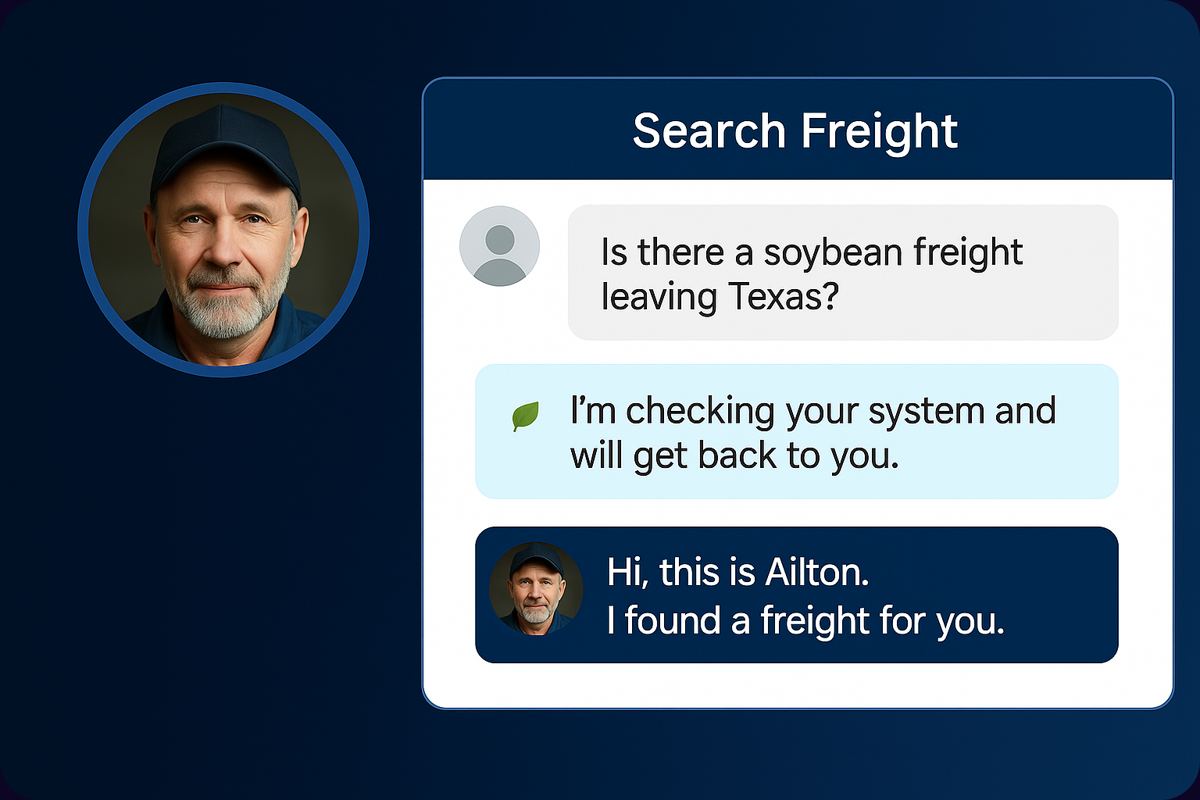
Chat mockup in a freight-matching app: the customer asks whether there is a soybean load leaving Pará; the agent replies that it is checking the system and will get back shortly; the agent then returns and says: Hi, this is Áilton, I found a load for you.
On the other side of the Squad's instruction is a one-to-one conversation like this one — the channel agent queries the customer's system and comes back on its own once it has an answer.
Optional capability

The fan of subagents

Case-by-case analysis, in parallel — instead of a statistical summary of the batch.

When a Squad has to look closely at many cases, it opens a fan: dozens of simultaneous readings, one per case, each with its own reasoning. Patient by patient. Order by order. Contract by contract.

One line of reasoning per case

Each subagent receives one case and only that case. It reads the evidence, checks what is being claimed and reaches a conclusion about that record — without diluting the hard case into the average of the batch.

Answers validated against a schema

The shape of the answer is declared up front as a JSON Schema. What comes back is checked against it — and goes straight into the report's table, with no model retyping a single number along the way.

They inherit read-only tools

In a subagent's world there is no writing, no sending email, no firing off messages. Those tools are simply not there. Analyzing is all it can do.

In parallel, not in a queue

The readings are dispatched at the same time. That is what makes it feasible to analyze a large batch inside the window of a scheduled run, instead of sweeping case by case for hours.

You turn it on and off per Squad

It is an optional capability, set on each Squad. Simple verification routines do not need it; clinical, tax and credit analysis routines usually do.

It is the most expensive part of a run

The platform warns you right on the screen, before you switch it on. Dozens of parallel lines of reasoning consume far more than a single reading — and consumption is broken down by agent and by module in the dashboard.

Here is what an open fan looks like from the inside: dozens of cases dispatched at the same instant, one subagent per case, every card carrying the conclusion for that record — and, alongside them, the batch counter.

Hal-AI · Squad · Fan of subagents Run #47
Fan of subagents 42 cases analyzed in parallel in this run — one line of reasoning per case, no summary of the batch.
Fan open 42 case(s) · 4 batch(es) · 38s 31 delivered · 11 analyzing · 0 with a write tool
Case 4471 · MRI
DeliveredBatch 1
Fasting instructions are not marked as read. Conclusion: repeat them on contact.
Case 4472 · clinical follow-up
DeliveredBatch 1
Confirmed yesterday by the patient. Conclusion: no new contact needed.
Case 4473 · blood test
DeliveredBatch 1caveat
Doctor's order is 40 days old. Conclusion: needs a new referral before confirming.
Case 4474 · ultrasound
AnalyzingBatch 3
Reading the record's rescheduling history before reaching a conclusion.
Case 4475 · CT scan
DeliveredBatch 4caveat
Insurance requires prior authorization and none is on file. Conclusion: hold the contact.
Case 4476 · orthopedics follow-up
DeliveredBatch 2
Nothing pending on the record. Conclusion: a plain confirmation settles it.
Case 4477 · endoscopy
AnalyzingBatch 3
Checking the prep and whether a companion is required for the procedure.
Case 4478 · mammogram
DeliveredBatch 2caveat
Last contact falls outside the 24-hour window. Conclusion: approved template only.
Case 4479 · routine visit
AnalyzingBatch 4
Comparing with what yesterday's run had already checked on this case.
33 more cases in the same fan
In parallelBatches 1 to 4
One subagent per case, all dispatched at the same instant — not in a queue.
Answer validated against a schema JSON Schema declared up front · 31 checked · 0 off-format fields: case · conclusion · evidence · needs_contact (boolean)
Tools inherited by the subagents read-only — writing, sending and dispatching do not exist in this world

What you are looking at

A single run with the fan open: 42 cases, one card per subagent, each with the case it was handed, the state — Delivered or Analyzing — and the conclusion for that record in one line. On the left, the batch counter follows it batch by batch: 24 of 24, 8 of 8, 6 of 10 and 0 of 4 still queued.

Below the grid sit the two guarantees: the 31 delivered answers were checked against the schema declared up front, and the tool list shows in green only the read-only ones — writing, adding a note and sending email appear grayed out.

The advantage

The hard case does not disappear into the average of the batch. The expired doctor's order, the missing insurance authorization and the contact outside the 24-hour window become three separate conclusions, each with its reason — instead of one aggregate number saying that “5 cases need attention”.

Because the shape of the answer is checked against a schema, every conclusion goes straight into the report's table, with nobody retyping anything along the way.

Only at Hal-AI

Look at what is grayed out in the tool list: in a subagent's world there is no writing, no sending a message and no sending email — those tools were simply never inherited. Analyzing is all it can do.

What to do with the conclusions is the Squad's call, and whoever talks to a person is still the channel agent.

Posture

The same Squad, two modes

Talking to the manager, it reconfigures itself. Running on its own, it refuses to be reconfigured.

Mode 1

Chat with the manager

The manager opens a conversation with the Squad and adjusts the process by talking. There is no flow canvas to draw.

  • Sets the main context and the knowledge behind the routine
  • Adjusts its own schedule — including creating tasks for itself
  • Reads a source's documentation, lists the available endpoints and implements the tools
  • Runs in simulation mode so you can see what would happen

Self-configuration unlocked: the person speaking here is an authenticated user from your company.

Mode 2

Automatic run

In a scheduled routine, the Squad operates on data that came from outside — API responses, customer messages, document content.

  • Every piece of incoming data is treated as untrusted
  • Self-configuration locked: nothing it reads can change what it is
  • An instruction embedded in third-party content never becomes an order
  • Only previously authorized tools are within reach

That is the difference between an agent that takes instructions from the manager and an agent that would take instructions from any text it happened to read.

Deliverable

The report the agent writes

It is not a spreadsheet export with a paragraph on top. It is an analytical document written by the Squad about what it has just found.

9 chart types rendered by the server, not by the model
HTML + PDF the same document on screen and attached to the email
Closed list delivery reaches previously authorized recipients only

Sections, not a wall of text

The document has structure: context for the period, what was checked, the cases that required action, the exceptions and the conclusion. It comes out whole, with no cuts and no “…” in the middle of a table.

Tables built by reference

Rows point back to the data returned by the API. The model does not retype numbers: it references the source. That is what keeps a value from quietly changing between the query and the report.

Charts rendered by the server

Nine chart types are rendered server-side from the data — they are not images invented by the model. If a chart still has arithmetic left to do, the document is rejected instead of going out wrong.

Email delivery, with the attachment

The PDF is generated on the server and sent to the closed list of recipients, checked twice before it goes out. Every number that appears in the body of the email exists in the document.

Governance

Controls for an agent that acts on its own

Autonomy with no brakes is not a product. What holds a Squad in check is exactly what makes it acceptable in production.

Auditable history

Every run keeps what was queried, what was decided, what was acted on and the outcome declared. You can open a run from two weeks ago and follow the decision.

Resend lock

Anchored to the occurrence, not to the template name. If that customer already received that message for that reason, the Squad does not push again — and records that it did not.

Simulation mode

The run executes in full and shows what it would have done, without talking to anyone and without sending anything. That is how a new Squad goes into production without surprises.

Stop button

A run in progress can be interrupted by the manager. There is no routine that ends only when it feels like it.

Curated queries

The agent does not write free-form queries against the database. It uses parameterized, curated queries with a positive allowlist of what can be done — whatever is not explicitly permitted does not exist for it.

Refusal instead of improvisation

A document with no content, or with arithmetic left undone in a chart, is rejected — not quietly cleaned up to look like it worked.

Open-plan office with customer service workstations
The Squad works alongside your human operation: whoever supervises still sees everything it did, run by run.
Frequently asked questions

What people usually ask about Squads

Does a Squad replace the agent that handles WhatsApp?

No. They are different, complementary roles. The channel agent is the one talking to the customer, with its own personality, memory and tools. The Squad has no channel: it coordinates the routine, queries the systems, decides what needs human contact and asks the channel agent to make that contact — then collects the answer and writes the report.

The Squad woke up, checked and did nothing. Did it fail?

It succeeded. Waking up is not an order to act. A run that queried the systems, weighed the cases and concluded there was nothing to do is a successful run — and it ends with that outcome declared in writing in the history, for whoever supervises to review later.

How do I keep it from messaging my entire customer base without my knowing?

In layers. In an automatic run, self-configuration is locked and incoming data is treated as untrusted. The Squad can only reach previously authorized tools, the resend lock is anchored to the occurrence, and email delivery only reaches a closed list of recipients. Before going live you run it in simulation mode; once it is live, the stop button is still there.

Can I trigger a Squad from my own system?

Yes. The Hal-AI public API is versioned, authenticated by key, with per-resource scopes and an idempotency key on sends. Through it you can trigger a Squad run, follow its progress, read the logs and retrieve the declared outcome. The details are in Integrations and API.

Which routine in your company depends on someone remembering?

Bring us the process. We design the Squad with you: which systems it queries, what it decides on its own, which agents it talks to and who receives the report.